Agent-Native Software: What Comes After AI-Powered Apps

Hamza
September 25, 2026
AI is moving beyond copilots and chat features. Explore how agent-native software changes application architecture, workflows, user experience, and the way businesses build AI products.
Agent-Native Software: What Comes After AI-Powered Apps
For the past few years, businesses have been adding AI features to existing software.
A SaaS platform adds an AI assistant.
A CRM adds AI-generated emails.
A support platform adds an AI chatbot.
A development tool adds an AI coding assistant.
These products are often described as AI-powered software.
But a more significant shift is now emerging: agent-native software.
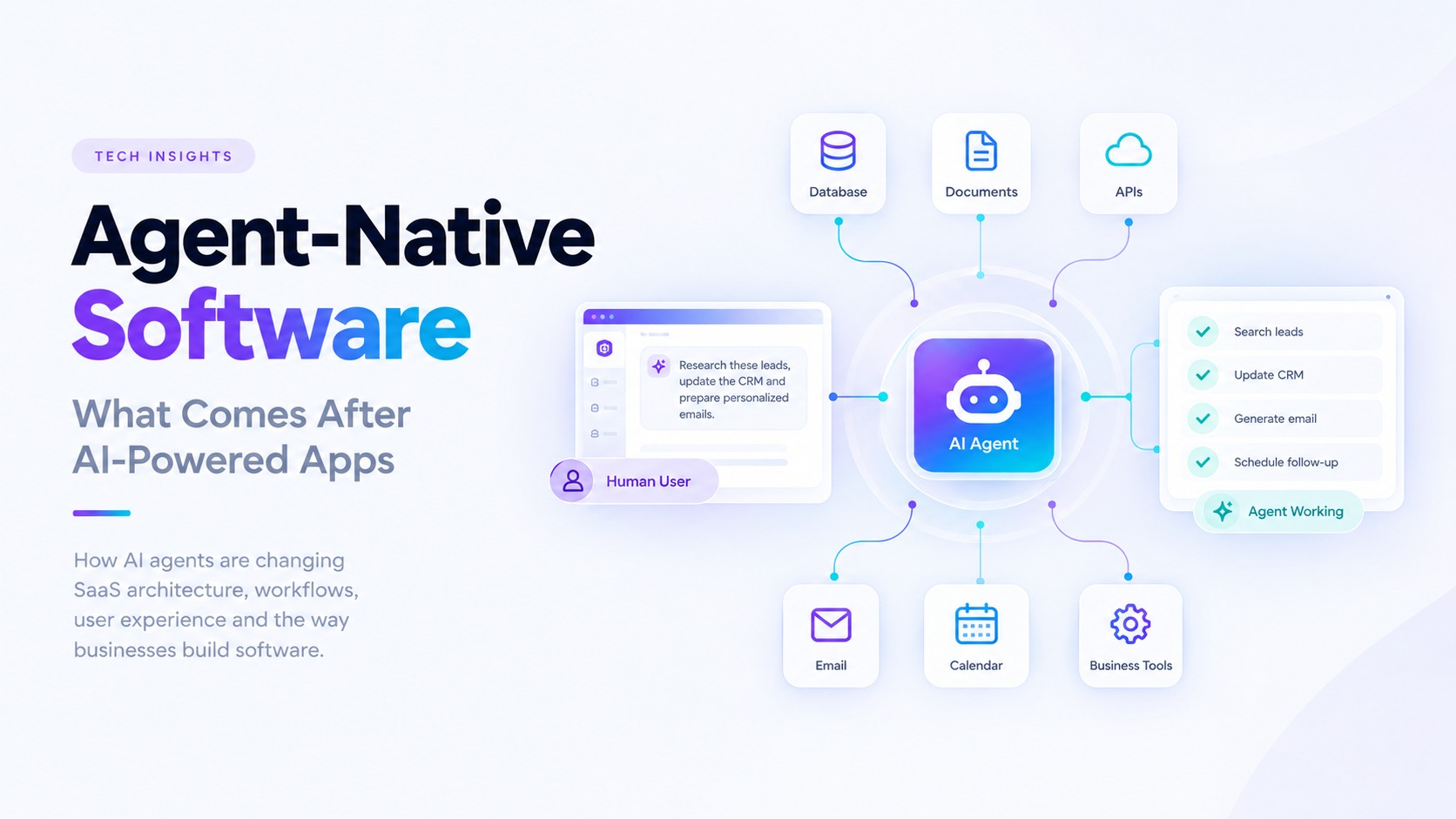
Instead of treating AI as a feature sitting on top of an existing application, agent-native software is designed around the idea that both humans and AI agents can use the same underlying systems, data, tools, permissions, and workflows.
This distinction matters because AI agents are increasingly moving from answering questions to carrying out multi-step tasks.
OpenAI's 2026 enterprise research describes this transition as a move from AI assistance toward delegated execution, with agents increasingly working with company context, tools, and repeatable workflows. (OpenAI)
At the same time, Gartner reported in 2026 that only 17% of organizations had deployed AI agents, while more than 60% expected to deploy them within two years. This highlights an important gap between interest in agentic AI and production implementation. (Gartner)
So what does it actually mean to build software for this new environment?
What Is Agent-Native Software?
Agent-native software is an application architecture where AI agents are treated as first-class users of the system.
Traditional software is primarily designed around human interaction.
A user opens the application, navigates through screens, fills out forms, clicks buttons, and completes workflows.
An AI agent interacts differently.
It may need to:
-
Search data
-
Read documents
-
Call APIs
-
Create records
-
Update information
-
Trigger workflows
-
Analyze results
-
Ask for approval
-
Continue working across multiple steps
An agent-native application is designed so these actions are available through structured capabilities rather than being locked exclusively inside a graphical interface.
The human user may still use the dashboard.
The AI agent may use tools and APIs.
But both interact with the same underlying business logic.
That is the key architectural shift.
AI-Enabled vs AI-Native vs Agent-Native
These terms are often used interchangeably, but there is an important difference.
AI-Enabled Software
AI is added as a feature to an existing product.
For example:
CRM → AI writes a sales email
The CRM remains fundamentally unchanged. AI simply helps the user complete one task.
AI-Native Software
AI becomes a central part of the application's experience.
Instead of only clicking through predefined workflows, users can interact with the application through natural language, AI-assisted actions, intelligent search, recommendations, and automated processes.
For example:
CRM → "Show me leads that are likely to convert and explain why."
The AI becomes part of the primary product experience.
Agent-Native Software
The application is designed so an AI agent can actually operate the product.
Instead of simply generating a recommendation, the agent may:
Find leads → research accounts → update CRM → prepare outreach → schedule follow-up
The agent becomes an active participant in the workflow.
This requires significantly more than adding a chatbot.
Why Agent-Native Architecture Matters
The biggest difference is the unit of interaction.
Traditional software is built around screens and actions.
AI assistants are often built around questions and responses.
Agent-native software is increasingly built around goals and outcomes.
For example, a traditional sales platform might require a salesperson to:
-
Open a lead.
-
Review company information.
-
Check previous interactions.
-
Research the company.
-
Write an email.
-
Add the activity to the CRM.
-
Schedule a follow-up.
An agent-native system could allow the user to say:
Research these leads and prepare personalized follow-ups for my approval.
The system can then coordinate the required tools and workflows.
The human still controls the important decisions, but the software handles much of the operational work.
The Architecture Behind Agent-Native Applications
Building agent-native software requires more than adding an LLM to an existing backend.
Several architectural layers become important.
1. AI Orchestration
The orchestration layer determines how the AI interacts with the application.
It may manage:
-
Model selection
-
Prompt construction
-
Tool selection
-
Task planning
-
Context management
-
Workflow state
-
Error handling
The goal is not simply to generate text.
The goal is to allow the system to complete a controlled sequence of actions.
2. Tool Layer
Agents need structured ways to interact with software.
Instead of asking an AI model to directly manipulate a database, the application can expose controlled tools such as:
search_contacts()
get_customer()
create_campaign()
update_contact()
generate_email()
schedule_campaign()
Each tool should have clearly defined inputs, outputs, permissions, and validation.
This makes agent behavior more predictable and auditable.
3. Business Logic
The agent should not replace the application's core business logic.
For example, if a CRM has rules preventing unauthorized changes to customer records, those rules should still exist in the backend.
The AI should request an action.
The backend should determine whether that action is actually allowed.
This separation is critical.
AI decides what it wants to do.
Business logic decides what is allowed.
4. Context Layer
Agents need access to relevant information.
That could include:
-
Customer records
-
Product information
-
Internal documentation
-
Previous conversations
-
Business policies
-
Analytics
-
Knowledge bases
RAG systems, structured databases, APIs, and other retrieval mechanisms can provide this context.
The quality of an agent often depends heavily on the quality and accessibility of the context available to it.
5. Permission Layer
Agent-native applications need granular permissions.
An agent may be allowed to read customer information but not delete it.
It may be allowed to draft an email but not send it.
It may be allowed to create a report but not publish it.
Permissions therefore need to be part of the architecture rather than something added later.
Agents Need Actions, Not Just Prompts
One of the biggest mistakes when building AI applications is focusing too heavily on prompting.
A powerful prompt does not turn an application into an agent-native system.
Agents need reliable actions.
Consider an AI sales assistant.
A chatbot might produce:
You should follow up with this lead.
An agent-native system could potentially:
-
Retrieve the lead.
-
Review previous interactions.
-
Search relevant company information.
-
Identify the appropriate messaging angle.
-
Generate a personalized email.
-
Save it as a draft.
-
Request human approval.
-
Send the email.
-
Schedule a follow-up.
-
Record the activity.
The difference is substantial.
The first system provides information.
The second system participates in the workflow.
Agent-Native UX Changes the User Interface
Agent-native applications do not necessarily eliminate traditional dashboards.
Instead, they change what the interface is responsible for.
A dashboard might continue to provide:
-
Analytics
-
Tables
-
Reports
-
Settings
-
Configuration
-
Manual controls
But the AI layer can provide another way to operate the same system.
For example:
Traditional interface
Campaigns → Create Campaign → Select Audience → Choose Template → Schedule → Send
Agent interface
"Create a campaign for customers who haven't purchased in six months, personalize the message based on their previous orders, and schedule it for tomorrow."
The important part is that both approaches should eventually use the same underlying campaign service.
This creates a powerful model:
One system. Multiple ways to operate it.
What Happens to APIs?
APIs become even more important in an agent-native world.
Human users can interact with visual interfaces.
Agents need structured interfaces.
That means businesses need well-designed capabilities that clearly define:
-
What an action does
-
What inputs it accepts
-
What it returns
-
Who can use it
-
What limitations apply
-
What side effects it creates
This is one reason standards such as MCP are becoming relevant to AI application architecture.
MCP provides a standardized way for AI applications to interact with external tools and resources.
Instead of building every AI integration as a completely custom connection, organizations can expose selected capabilities through structured interfaces.
The important principle remains the same:
Agents need controlled access to capabilities, not unrestricted access to systems.
Agent-Native Software Needs Strong Guardrails
More autonomy creates more responsibility.
An AI agent that can only generate text has a limited ability to affect external systems.
An agent that can modify customer records, send emails, issue refunds, or trigger workflows has much greater potential impact.
This means agent-native applications should include:
Authentication
Know which user or service is requesting the action.
Authorization
Determine whether that identity is allowed to perform the operation.
Input Validation
Never assume AI-generated parameters are valid.
Tool Restrictions
Expose only the tools required for a particular workflow.
Human Approval
Require confirmation for sensitive or irreversible actions.
Audit Logs
Record important agent actions so they can be reviewed later.
Monitoring
Track failures, unusual activity, latency, and tool usage.
The objective should not be maximum autonomy.
The objective should be useful autonomy within clearly defined boundaries.
Where Agent-Native Software Can Be Used
The concept applies across many industries.
Sales
An agent can research prospects, update CRM records, prepare personalized outreach, and manage follow-ups.
Customer Support
An agent can retrieve customer information, search documentation, draft responses, and escalate complex cases.
Finance
Agents can assist with reporting, invoice processing, reconciliation workflows, and financial data analysis, subject to appropriate controls.
Operations
Agents can coordinate repetitive workflows across internal systems.
Software Development
Coding agents can help plan, implement, test, review, and maintain software.
AI coding agents are already seeing substantial adoption. JetBrains' 2026 developer survey of more than 15,000 professional developers found that 90% were using AI coding agents at work at least weekly during May to July 2026, with 68% using them daily. (The JetBrains Blog)
Anthropic's 2026 agentic coding research similarly describes a shift in software engineering toward orchestrating agents, evaluating their output, and focusing more heavily on architecture and higher-level engineering decisions. (Anthropic Resources)
Knowledge Management
Agents can search internal knowledge, summarize information, retrieve documents, and help employees navigate complex organizational information.
Agentic Software Is Also Changing Development
Agent-native architecture is not only changing the products businesses build.
It is changing how software itself is developed.
AI coding agents can now participate in tasks such as:
-
Code generation
-
Debugging
-
Testing
-
Documentation
-
Code review
-
Repository exploration
-
Refactoring
-
Development environment management
McKinsey's 2026 State of AI survey found that 40% of respondents from large organizations reported scaling AI agents, while about two in ten organizations reported scaling agentic coding tools. The survey also found that 32% of respondents said their organizations had chosen to build software internally instead of purchasing certain products or features because of agentic coding capabilities. (McKinsey & Company)
This does not mean software engineering disappears.
Instead, engineering work increasingly shifts toward system design, architecture, validation, security, product decisions, and managing AI-generated implementation.
The Biggest Challenge Is Not the Model
AI models continue to improve rapidly.
But a better model does not automatically create a better software product.
An agent still needs:
Good data
Relevant, structured, accessible information.
Good tools
Clear and reliable capabilities.
Good architecture
A system capable of handling state, workflows, errors, and scale.
Good permissions
Clearly defined boundaries around what the agent can access and modify.
Good evaluation
Ways to measure whether the agent actually completes tasks correctly.
Good UX
A clear way for humans to understand, supervise, and intervene.
This is why agentic AI should be treated as an engineering problem, not just a model selection problem.
Should Every SaaS Product Become Agent-Native?
No.
Not every product needs autonomous agents.
Some workflows are better served by traditional interfaces.
Some operations are too sensitive to automate fully.
Some applications simply do not have enough repetitive complexity to justify an agentic architecture.
The better question is:
Where can an agent create meaningful value without adding unnecessary complexity or risk?
For some products, that might be an AI assistant.
For others, it might be workflow automation.
For more complex platforms, it could be an agent capable of coordinating multiple business operations.
The architecture should follow the problem.
What Businesses Should Prepare For
Organizations considering agentic software should start with their existing workflows.
Look for processes that are:
-
Repetitive
-
Rule-driven
-
Data-heavy
-
Multi-step
-
Dependent on several systems
-
Time-consuming for employees
-
Easy to measure
Then identify which parts require human judgment and which parts can safely be delegated.
A practical roadmap could look like:
1. Identify the workflow
Find a specific process where automation could create measurable value.
2. Map the systems
Identify databases, APIs, documents, tools, and business services involved.
3. Define agent capabilities
Decide exactly what the agent should be able to read and what actions it should be able to perform.
4. Add permissions
Define access based on users, roles, actions, and data sensitivity.
5. Build human approval points
Keep people involved where decisions have significant consequences.
6. Measure outcomes
Track time saved, completion rates, errors, cost, and business impact.
7. Expand gradually
Once one workflow is reliable, extend the architecture to additional processes.
The Future Is Not Just AI-Powered Software
The next phase of AI software is likely to be less about adding a chatbot to every application and more about changing how applications themselves operate.
AI agents can become another way to interact with software.
Humans can use dashboards.
Agents can use tools.
Both can operate on the same business logic, data, permissions, and workflows.
That creates a fundamentally different type of software.
Not software with AI added to it.
Software designed with AI as an active participant from the beginning.
The organizations that benefit from this shift will not necessarily be the ones using the most AI.
They will be the ones that identify the right workflows, connect the right systems, establish appropriate controls, and build AI into products where it creates measurable value.
At EttaDev, we build AI agents, RAG systems, intelligent automation, custom SaaS platforms, and AI integrations around real business workflows.
The goal is not simply to make software smarter.
It is to make software more capable of helping businesses get work done.