MCP in 2026: How AI Agents Connect to Real Business Systems

Salman
September 18, 2026
Understanding Model Context Protocol, its benefits, architecture, security considerations, and role in production AI applications.
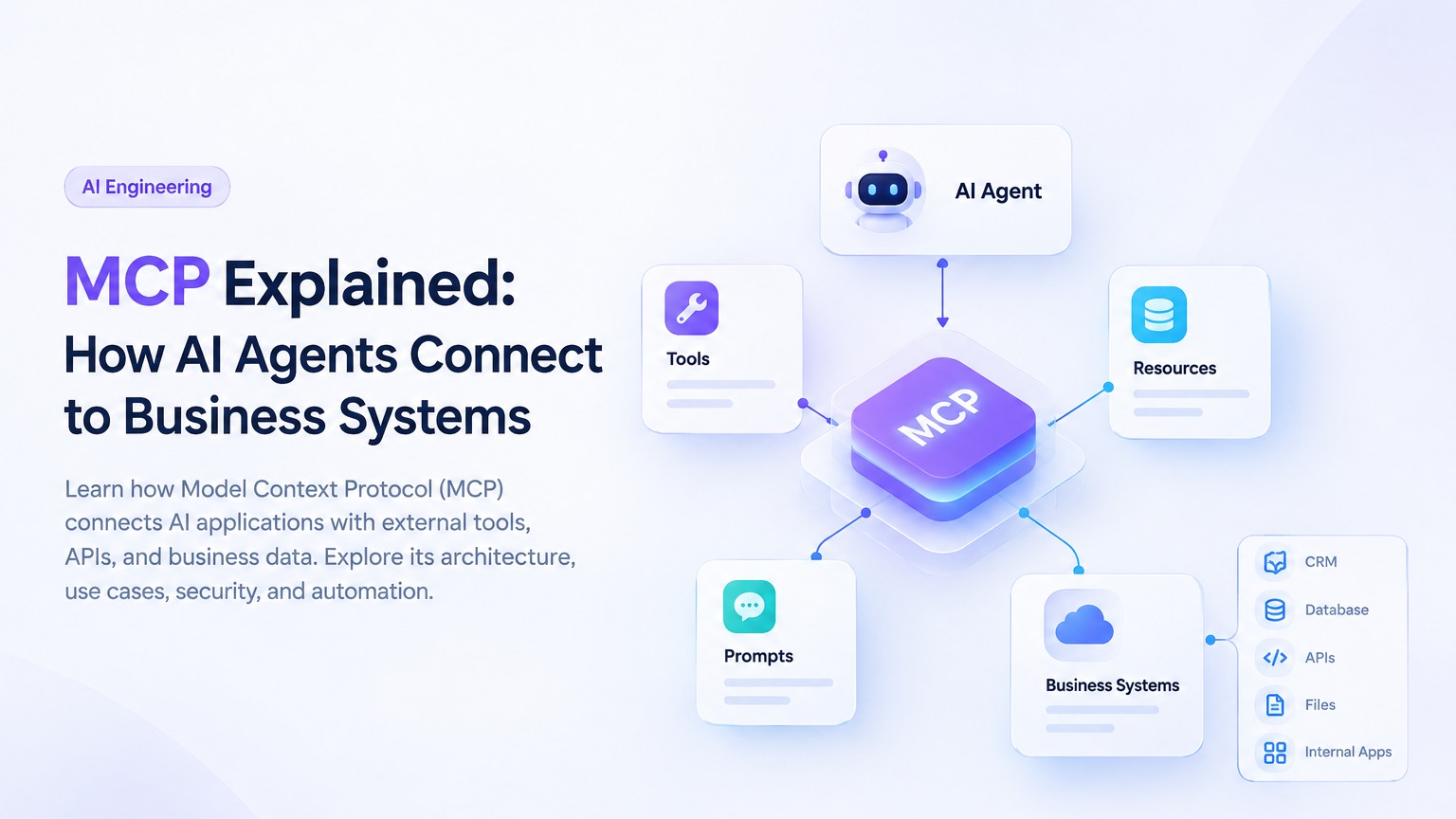
MCP Explained: How AI Agents Connect to Business Systems
AI agents are moving beyond simple conversations. Modern AI applications can retrieve information, use external tools, execute tasks, and interact with business systems.
However, an AI model cannot automatically access your CRM, internal database, documents, or business APIs. It needs a reliable way to communicate with these systems.
This is where Model Context Protocol (MCP) comes in.
MCP is an open protocol that standardizes how AI applications connect with external tools, resources, and prompts. It helps developers build AI systems that can interact with different services through a consistent communication layer.
In this guide, we explore what MCP is, how it works, its practical business use cases, and the security considerations developers should understand before implementing it.
What Is Model Context Protocol?
Model Context Protocol is an open standard designed to connect AI applications with external data sources and tools.
Traditionally, developers create custom integrations whenever an AI application needs to interact with a new system. For example, an AI assistant might require separate integration logic for a CRM, document database, analytics platform, and internal API.
MCP provides a standardized approach for exposing these capabilities through MCP servers.
An MCP server can provide three main capabilities:
-
Tools: Functions that an AI application can call to retrieve information or perform actions.
-
Resources: Data and content that provide context to the AI application.
-
Prompts: Reusable instruction templates for specific tasks or workflows.
MCP does not replace your existing backend architecture. Instead, it provides a communication layer between AI applications and selected capabilities within your existing systems.
Why Do AI Agents Need MCP?
An AI agent often needs access to more than a language model to complete a task.
Consider an AI sales assistant that receives the following request:
Find the latest information about this lead and prepare a follow-up email.
To complete this task, the agent may need to:
-
Retrieve the lead from a CRM.
-
Review previous customer interactions.
-
Access relevant product information.
-
Generate a personalized email draft.
-
Request approval before sending the email.
Each step may involve a different system or tool.
Without a structured integration approach, developers may need to build and maintain separate connectors for every application. MCP helps establish a consistent way for compatible AI applications to discover and interact with external capabilities.
This can make integrations more reusable and allow developers to separate AI orchestration from core business logic.
How Does MCP Work?
MCP follows a client-server architecture that connects an AI application with external services.
1. MCP Host
The host is the AI application where the user interacts with the system.
Examples include:
-
AI assistants
-
Development environments
-
Custom AI applications
-
Business automation platforms
The host manages the overall interaction between the user, the AI model, and MCP clients.
2. MCP Client
The MCP client manages communication between the host application and an MCP server.
It handles protocol communication, capability discovery, and requests sent to connected servers.
3. MCP Server
The MCP server exposes tools, resources, and prompts to the AI application.
It can connect to existing business APIs, databases, file systems, or internal services. The server determines which capabilities are available and how requests are processed.
4. External Business Systems
These are the systems that contain the actual business data or perform business operations.
Examples include:
-
CRM platforms
-
REST APIs
-
Databases
-
Document repositories
-
Project management systems
-
Internal business applications
MCP connects the AI application with these systems, while the underlying services remain responsible for business logic, data storage, and access control.
Understanding the MCP Workflow
A typical MCP tool interaction follows several steps.
Step 1: The User Sends a Request
The user asks the AI application to complete a task.
For example:
Check the status of my latest order.
Step 2: The AI Application Identifies a Tool
The application determines that it needs an order lookup tool to answer the request.
Step 3: The MCP Client Sends a Request
The MCP client communicates with the relevant MCP server and requests the required operation.
Step 4: The MCP Server Executes the Operation
The server validates the request and interacts with the underlying business API or database.
Step 5: The Result Is Returned
The result is returned to the AI application, which uses the information to generate a response for the user.
This process allows AI applications to interact with external systems through defined capabilities rather than relying only on the model's existing knowledge.
MCP Tools, Resources, and Prompts
Understanding MCP's core primitives is important when designing AI integrations.
Tools
Tools are executable functions that allow AI applications to retrieve information or perform actions.
Examples include:
-
Searching customer records
-
Retrieving order details
-
Creating support tickets
-
Querying a database
-
Calling an external API
-
Updating a CRM record
Each tool should have a clear description, defined input schema, and appropriate validation.
Read-only operations should be treated differently from actions that modify business data. A tool that retrieves an order status has different security requirements from a tool that issues a refund.
Resources
Resources provide data or context to an AI application.
Examples include:
-
Company documentation
-
Product information
-
Database schemas
-
Internal knowledge bases
-
Approved files
-
Business reports
Resources can help AI applications retrieve relevant information instead of relying only on general model knowledge.
However, sensitive resources still require proper access controls, filtering, and authorization.
Prompts
Prompts are reusable instruction templates that can support common workflows.
For example, a company might provide a prompt for reviewing a contract against internal guidelines or summarizing a customer account.
Prompts can improve consistency across common tasks, but they do not replace application-level authorization, validation, or security controls.
MCP vs Traditional APIs
MCP is not a replacement for REST APIs, GraphQL, or other existing integration technologies.
Instead, an MCP server can expose selected capabilities from these systems to compatible AI applications.
Traditional APIs generally provide communication between applications and backend services. MCP adds a standardized way for AI applications to discover and interact with tools and resources.
For example, a company may already have a customer management API built with FastAPI or NestJS.
Rather than replacing the existing API, the company could build an MCP server that exposes approved operations such as:
-
Retrieving customer details
-
Checking order status
-
Searching support tickets
The existing API would continue handling business logic, validation, and database operations.
5 Practical Business Use Cases for MCP
1. Customer Support Automation
Customer support teams often need information from multiple systems, including CRMs, order management platforms, and knowledge bases.
An MCP-enabled AI assistant could access approved tools for:
-
Retrieving order information
-
Searching customer records
-
Finding product documentation
-
Creating support tickets
-
Escalating customer issues
For example, an AI support assistant could check an order status and explain it to a customer without requiring a support representative to search multiple platforms manually.
Sensitive actions, such as issuing refunds or changing account information, should require appropriate permissions and potentially human approval.
2. Sales and CRM Workflows
Sales teams commonly work with CRMs, email platforms, calendars, and analytics tools.
AI agents connected to these systems could assist with:
-
Finding relevant leads
-
Summarizing customer activity
-
Retrieving account information
-
Preparing follow-up email drafts
-
Updating CRM records
-
Identifying potential sales opportunities
A reliable implementation should separate read-only operations from actions that modify customer information.
This allows businesses to benefit from AI automation while maintaining control over important sales data.
3. Document Processing
Businesses process invoices, contracts, reports, and other documents regularly.
An MCP server could expose tools for retrieving approved documents or sending extracted information to a business service.
A typical workflow might look like this:
Document → Data Extraction → Validation → Business System
MCP can help connect the tools involved in this process. However, the application still needs validation rules, document permissions, and error handling.
AI-generated data should not be inserted into critical business systems without appropriate checks.
4. Internal Knowledge Assistants
Organizations store information across internal documentation, file repositories, databases, and knowledge bases.
An AI assistant can use MCP resources or tools to access approved company information.
When combined with retrieval-augmented generation (RAG), this can help AI applications generate responses grounded in relevant business documents.
For production use, developers should consider:
-
Source tracking
-
Access restrictions
-
Retrieval quality
-
Document freshness
-
Permission-aware search
Connecting an information source does not guarantee that every generated response will be accurate.
5. Developer Productivity
MCP can also support AI-assisted development workflows.
Potential tools include:
-
Reading project documentation
-
Searching issue trackers
-
Retrieving deployment information
-
Reviewing approved project files
-
Running controlled development commands
Development tools should be carefully scoped. Reading a project file is fundamentally different from executing a production deployment or modifying critical infrastructure.
MCP in a Production AI Architecture
MCP should be considered part of a broader application architecture rather than a complete AI solution by itself.
Application Layer
This layer manages:
-
User authentication
-
Conversations
-
User interfaces
-
Application state
-
Business-specific workflows
Agent Orchestration Layer
This layer manages model interactions, task planning, tool selection, and execution flow.
It should determine when a tool is needed and apply relevant policies before allowing an operation.
MCP Integration Layer
MCP servers expose selected tools and resources.
A business may use separate servers for different responsibilities, such as:
-
CRM operations
-
Document access
-
Analytics queries
-
Customer support workflows
Each server should have a clearly defined purpose and limited access to external systems.
Security and Authorization Layer
The security layer should address:
-
Authentication
-
Authorization
-
Input validation
-
Secret management
-
Rate limiting
-
Audit logging
-
Human approval
The application should enforce these controls before and during tool execution.
External Systems
External systems continue to manage the underlying business data and operations.
This separation helps maintain clear boundaries between AI orchestration, integration logic, and core backend services.
Security Considerations for MCP
Connecting AI applications to external tools introduces security risks that developers must address.
Excessive Permissions
An AI agent should not have unrestricted access to every tool, database, or business operation.
Permissions should depend on:
-
User identity
-
Agent role
-
Business task
-
Data sensitivity
-
Requested operation
For example, a support agent may need to read order information but should not automatically be allowed to delete customer records.
Untrusted Inputs
AI-generated tool arguments must be validated before reaching a business system.
A CRM update tool should verify:
-
Whether the user is authorized
-
Whether the record can be modified
-
Whether the input format is valid
-
Whether the requested fields are permitted
-
Whether the operation follows business rules
Tool descriptions are not a substitute for server-side validation.
Human Approval
Some operations should require explicit confirmation from a user or authorized employee.
Examples include:
-
Sending external emails
-
Issuing refunds
-
Changing account permissions
-
Publishing content
-
Deploying production code
The required approval level should depend on the potential impact of the operation.
Monitoring and Audit Logs
Businesses should be able to understand how their AI applications interact with external tools.
Useful audit information includes:
-
User or agent identity
-
Tool name
-
Request status
-
Validation results
-
Execution duration
-
Approval history
-
Error details
Monitoring makes it easier to investigate failures, identify misuse, and improve system reliability.
Is MCP a Replacement for Custom Integrations?
MCP can reduce integration complexity in certain AI architectures, but it is not always the best solution for every project.
A direct API integration may be more practical when:
-
The workflow is small and fixed.
-
Only one application needs access.
-
Tool discovery is not required.
-
The team wants minimal infrastructure.
MCP may be useful when:
-
Multiple AI applications need access to the same tools.
-
The project requires reusable integrations.
-
The application needs structured tool discovery.
-
AI orchestration should remain separate from backend services.
-
Multiple external systems need to be connected.
The right approach depends on the project's requirements, security model, integration complexity, and long-term maintenance needs.
The Future of MCP and AI Integrations
As AI applications become more capable, connecting them with reliable business systems will become increasingly important.
MCP provides a standardized approach for exposing tools and resources to compatible AI applications. However, businesses should evaluate the protocol based on their actual requirements rather than adopting it simply because it is trending.
Successful implementations will focus on:
-
Practical business use cases
-
Clear integration boundaries
-
Strong permission controls
-
Reliable tool execution
-
Human oversight
-
Measurable business outcomes
The objective is not to give AI unrestricted access to every system. It is to connect AI capabilities with the right tools in a controlled and useful way.
Final Thoughts
Model Context Protocol provides a standardized approach for connecting AI applications with external tools, resources, and prompts.
It can help developers build AI agents that retrieve relevant information, interact with business systems, and support practical automation workflows.
However, MCP alone does not guarantee secure or reliable AI automation.
Production-ready AI systems require:
-
Clearly defined business workflows
-
Secure authentication and authorization
-
Carefully scoped tool permissions
-
Input validation
-
Monitoring and audit logging
-
Human oversight for sensitive operations
-
Reliable backend architecture
The future of AI is not only about building models that generate responses. It is also about connecting those models to the right systems in a controlled and meaningful way.
At EttaDev, we build custom software, AI integrations, and intelligent automation solutions around real business requirements.
The goal is simple: connect intelligent systems to meaningful workflows without compromising reliability or control.
Frequently Asked Questions
What is Model Context Protocol?
Model Context Protocol is an open standard that enables AI applications to connect with external tools, resources, and prompts through a consistent protocol.
Is MCP a replacement for REST APIs?
No. MCP can expose selected capabilities from REST APIs and other services to AI applications. Existing APIs can continue managing business logic and data operations.
Is MCP secure by default?
Secure implementation requires appropriate authentication, authorization, input validation, monitoring, and permission controls. Using MCP does not automatically secure an integration.
Can MCP be used with AI agents?
Yes. MCP enables compatible AI applications to discover and interact with external tools and resources, making it suitable for many AI agent workflows.
Should startups use MCP?
Startups should evaluate MCP according to their integration requirements. It can be useful for reusable tool connections, while direct API integration may be simpler for smaller or fixed workflows.
Where can I learn more about MCP?
You can learn more through the official MCP documentation at modelcontextprotocol.io